
Download PicPick Portable – Free, Secure Screen Capture & Image Editing Tool for Windows, Mac, Android & iOS
Why PicPick Portable Stands Out as a Top Screen Capture & Image Editing Tool
In today’s fast-paced digital world, capturing and editing screenshots quickly is more important than ever. Whether you're creating tutorials, documenting bugs, or sharing visual ideas, having a reliable tool at your fingertips can make all the difference. Enter PicPick Portable — a lightweight, free, and secure software designed for users who want powerful screen capture and image editing capabilities without the complexity of heavy applications like Photoshop. Unlike bulky design suites, PicPick Portable fits neatly into your workflow, offering a streamlined experience that’s both intuitive and efficient.
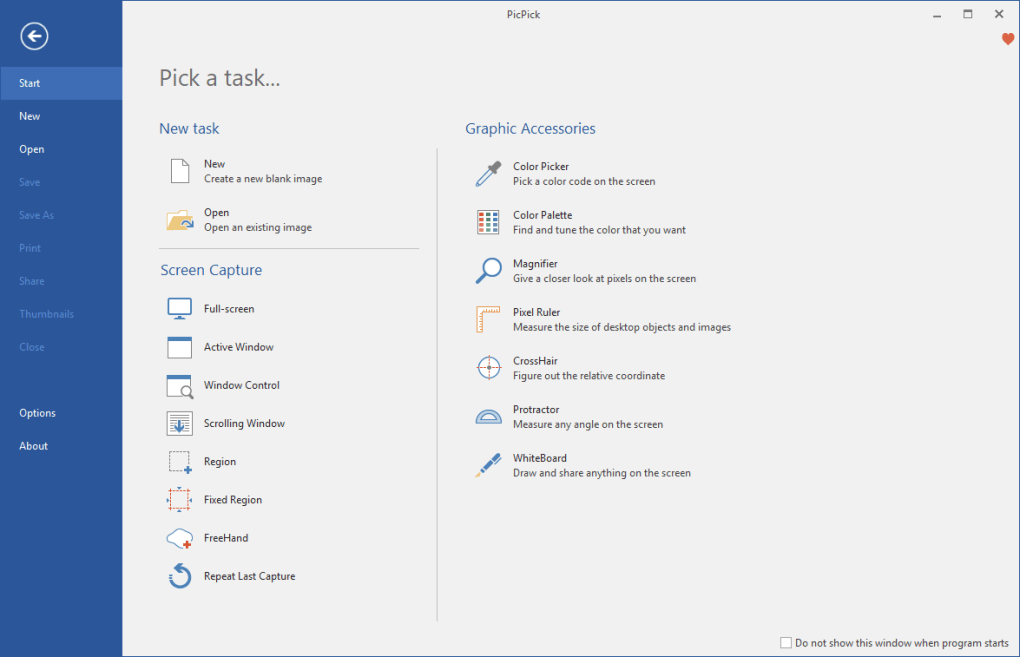
One of the standout features of this portable app is its ability to capture screens in multiple ways: full screen, active window, or a custom-defined area. This flexibility ensures you can grab exactly what you need, whether it's a quick note or a detailed interface. The software also supports keyboard shortcuts, allowing you to trigger captures instantly without interrupting your focus. What’s more, you can automate the process by setting PicPick Portable to save screenshots directly to your preferred folder, copy them to the clipboard, or even upload them to an FTP server — perfect for teams or remote workers.
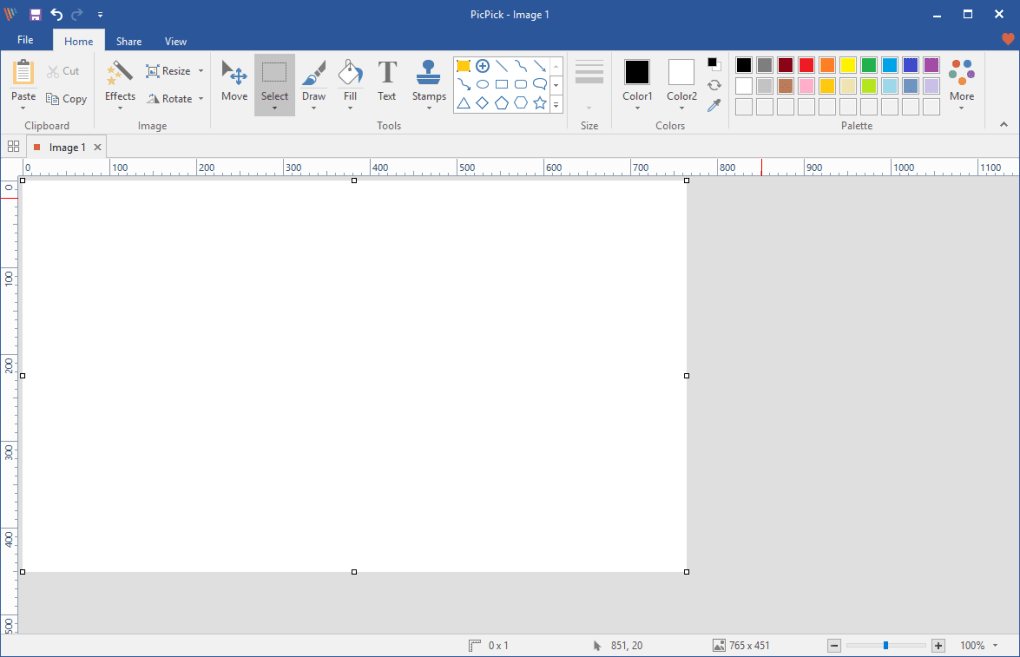
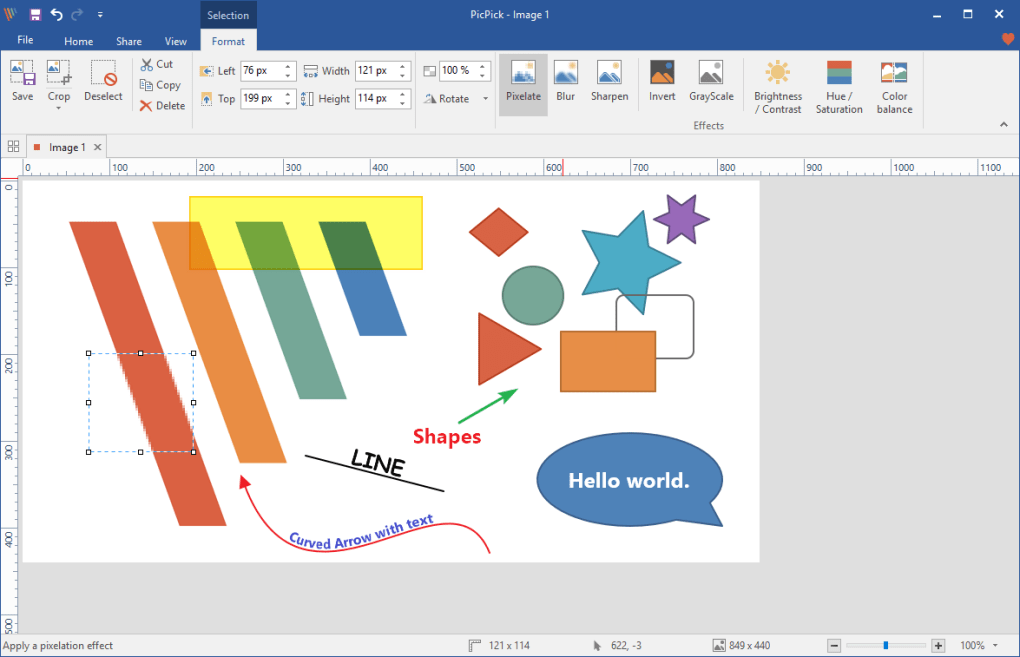
Another major advantage is its built-in image editor. With tools like brightness and contrast adjustment, grayscale conversion, blur, pixelation, and color correction, you can enhance your screenshots on the fly. The inclusion of a color picker, magnifier, and pixel ruler makes it ideal for designers and developers who need precision. Even the whiteboard feature — which lets you draw and annotate directly on your screen — adds a creative edge, making it a go-to tool for educators, presenters, and content creators. All these features are packed into a single, portable app that doesn’t require installation, making it perfect for use on shared or restricted computers.
Powerful Features That Make PicPick Portable a Must-Have for Everyday Use
PicPick Portable isn’t just about capturing screens — it’s a full-featured image editing and productivity suite wrapped in a compact package. The feature list is impressive for a free tool, especially one that runs without installation. Among the most useful tools are the image editing functions such as brightness/contrast adjustments, color correction, and various special effects like blur and pixelate. These allow you to clean up or stylize your screenshots with minimal effort, making them look professional without needing advanced design skills.
The color picker is particularly handy for designers and developers who need to extract exact hex codes from any part of the screen. Combined with the magnifier tool, which zooms in up to 16x, it becomes an essential companion for spotting small details or testing UI elements. The pixel ruler adds another layer of precision, enabling accurate measurements across your screen — a feature often missing in basic screen capture tools.
But perhaps the most unique feature is the whiteboard tool. This allows you to draw, write, and annotate directly on your screen in real time, which is perfect for live presentations, teaching sessions, or collaborative brainstorming. You can save these annotations as images or share them instantly. Additionally, the app supports multiple document handling, meaning you can work on several screenshots at once, compare them side by side, or apply edits across multiple files efficiently.
For power users, PicPick Portable offers customizable keyboard shortcuts and automatic saving options. You can set up triggers to capture and save images with a single keystroke, significantly boosting productivity. Whether you're writing documentation, creating social media content, or troubleshooting software, this app streamlines your workflow with minimal friction. And with regular updates that fix bugs and improve performance — like the recent fix for the portable version’s INI file issue — PicPick Portable remains a stable and reliable choice.
Easy Installation, Seamless Compatibility Across Devices
One of the biggest advantages of PicPick Portable is its portability. Unlike traditional software that requires installation and leaves traces on your system, PicPick Portable runs directly from a USB drive, external hard drive, or any folder on your computer. This makes it ideal for users who frequently switch between devices or work on shared machines where installing software isn’t allowed.
The app is compatible with Windows 7 and later, including Windows 10 and Windows 11, and is also available for Mac users. While it doesn’t have a native Android or iOS version, the Windows and Mac versions are fully functional and optimized for high-resolution displays. This ensures crisp, clear captures and smooth editing, even on 4K monitors.
Installation is as simple as downloading the ZIP file, extracting it, and running the executable. No setup wizard, no registry changes — just open the app and start capturing. The settings menu, though slightly hidden (accessed via Help > About), is comprehensive and well-organized once you find it. You can customize everything from default save locations to shortcut keys and auto-upload settings.
For those who prefer a cloud-based workflow, PicPick Portable integrates with FTP servers, allowing you to automatically upload captured images to a remote server. This is especially useful for content creators, support teams, or remote developers who need to share screenshots in real time. The app also supports copying images to the clipboard, making it easy to paste into emails, documents, or design tools like Canva or Figma.
Pros and Cons: Is PicPick Portable Right for You?
- Pros:
- Lightweight and portable — no installation required
- Free to download and use with no watermarks
- Powerful screen capture options: full screen, window, region
- Comprehensive image editing tools (brightness, blur, pixelate, etc.)
- Includes useful tools: color picker, magnifier, pixel ruler
- Whiteboard feature for real-time annotations
- Customizable keyboard shortcuts and automation options
- Supports automatic saving, clipboard copy, and FTP upload
- Regular updates for bug fixes and performance improvements
- Cons:
- Settings menu is not easily accessible (hidden under Help > About)
- Lacks web capture mode (unlike the desktop version)
- No native Android or iOS app (though Windows/Mac versions are robust)
- Interface may feel slightly dated compared to modern design tools
- Advanced features like layers or masks are not available
Frequently Asked Questions (FAQ)
Is PicPick Portable free to download and use?
Yes, PicPick Portable is completely free to download and use. There are no hidden fees, watermarks, or trial limitations. You can use all its features — including screen capture, image editing, and automation — without any cost.
Can I use PicPick Portable on multiple devices?
Absolutely. Since it’s a portable app, you can run it from a USB drive or external storage on any Windows or Mac computer. This makes it ideal for users who work across multiple machines or need a consistent tool on shared systems.
Does PicPick Portable support keyboard shortcuts?
Yes, PicPick Portable allows you to customize keyboard shortcuts for all capture modes and actions. This enables fast, hands-free operation and significantly improves workflow efficiency.
Can I edit screenshots directly after capturing them?
Yes, the built-in image editor lets you adjust brightness, contrast, apply filters, and use tools like blur and pixelate. You can also annotate with the whiteboard feature and save the final image in multiple formats.
Is there a version for Android or iOS?
Currently, PicPick Portable does not have native apps for Android or iOS. However, the Windows and Mac versions are fully functional and can be used on tablets with compatible operating systems.
Final Verdict: A Compact Powerhouse for Screen Capture and Editing
If you're looking for a secure, lightweight, and free screen capture and image editing tool, PicPick Portable is one of the best options available. It combines the functionality of a full-featured editor with the convenience of a portable app, making it perfect for students, professionals, educators, and remote workers. While it lacks some advanced features like web capture and native mobile apps, its core capabilities — fast capture, smart editing, and automation — more than make up for it.
With regular updates and a growing user base, PicPick Portable continues to evolve. Whether you're troubleshooting software, creating content, or teaching online, this tool streamlines your workflow and boosts productivity. The ability to run it from a USB drive adds unmatched flexibility.
Download PicPick Portable today and experience a seamless, no-install screen capture and editing solution that’s as powerful as it is portable.
Review by: [Your Name], SEO Content & Software Review Expert
Rating: 4.5/5 — Excellent for everyday screen capture and editing tasks.







